Quick Start Guide
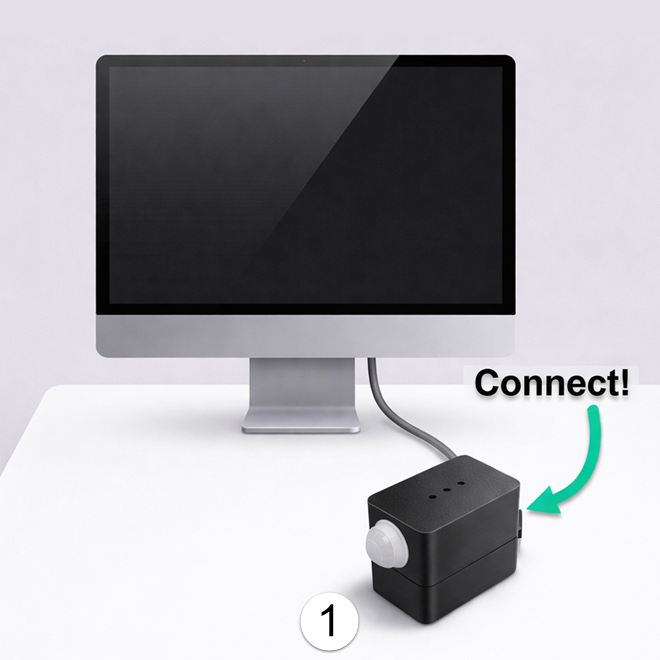
1. Plug it in
Connect MOTIONSENSR to any USB-A or USB-C port. No drivers needed. Windows, Mac, and Linux recognize it instantly.
The LED inside lights up when motion is detected. You're all set!
A drive called MOTIONSENSR appears on your computer. You can customize behavior by editing CONFIG.TXT on that drive.
2. Customize with CONFIG.TXT (optional)
Open CONFIG.TXT on the MOTIONSENSR drive. Edit any values, save the file, and settings apply immediately. LED blinks green to confirm. No restart needed. Below are the defaults:
mod =
optional modifier key for wake (ctrl, alt, shift…) — leave blank for none
key = PAUSE
key sent to wake your PC
light_on_motion = 1
LED blinks on motion (1 = on, 0 = off)
cooldown_ms = 3000
minimum 3 seconds between wake triggers
nomotion_enabled = 1
auto-sleep when no motion detected — ON by default
(change to 0 to disable)
(change to 0 to disable)
nomotion_after_ms = 600000
sleep after 10 minutes of no motion (when enabled)
nomotion_mod =
optional modifier key for sleep — leave blank for none
nomotion_key = SYSTEM_SLEEP
command used to sleep the PC
Auto-sleep is on by default. After 10 minutes of no detected motion, MOTIONSENSR will put your PC to sleep. To disable it, change
nomotion_enabled = 1 to nomotion_enabled = 0 and save. Make it a habit to save open documents before stepping away.
See README.TXT on the MOTIONSENSR drive for more keys, mod keys, commands, and options.