MOTIONSENSR
Your PC wakes up when you walk in.
It goes to sleep when you leave.
A tiny USB device that handles both sides automatically without drivers, software or cloud.
"There's dozens of us. Dozens!"
This is a very specific solution for a very specific kind of setup… and if you're here, you already know why you need it. If you've got a DAKboard, MagicMirror, Home Assistant dashboard, or any PC that should wake when someone walks in and sleep when they leave… this thing's for you!
How It Works
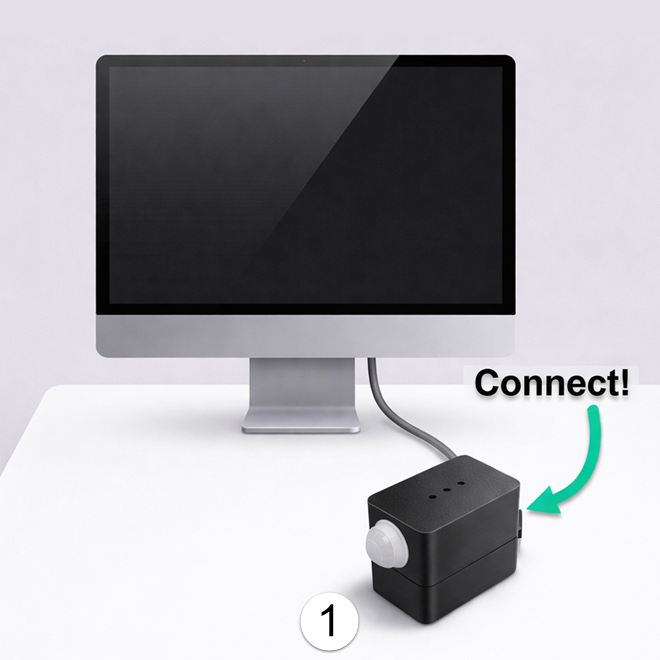
Plug it in
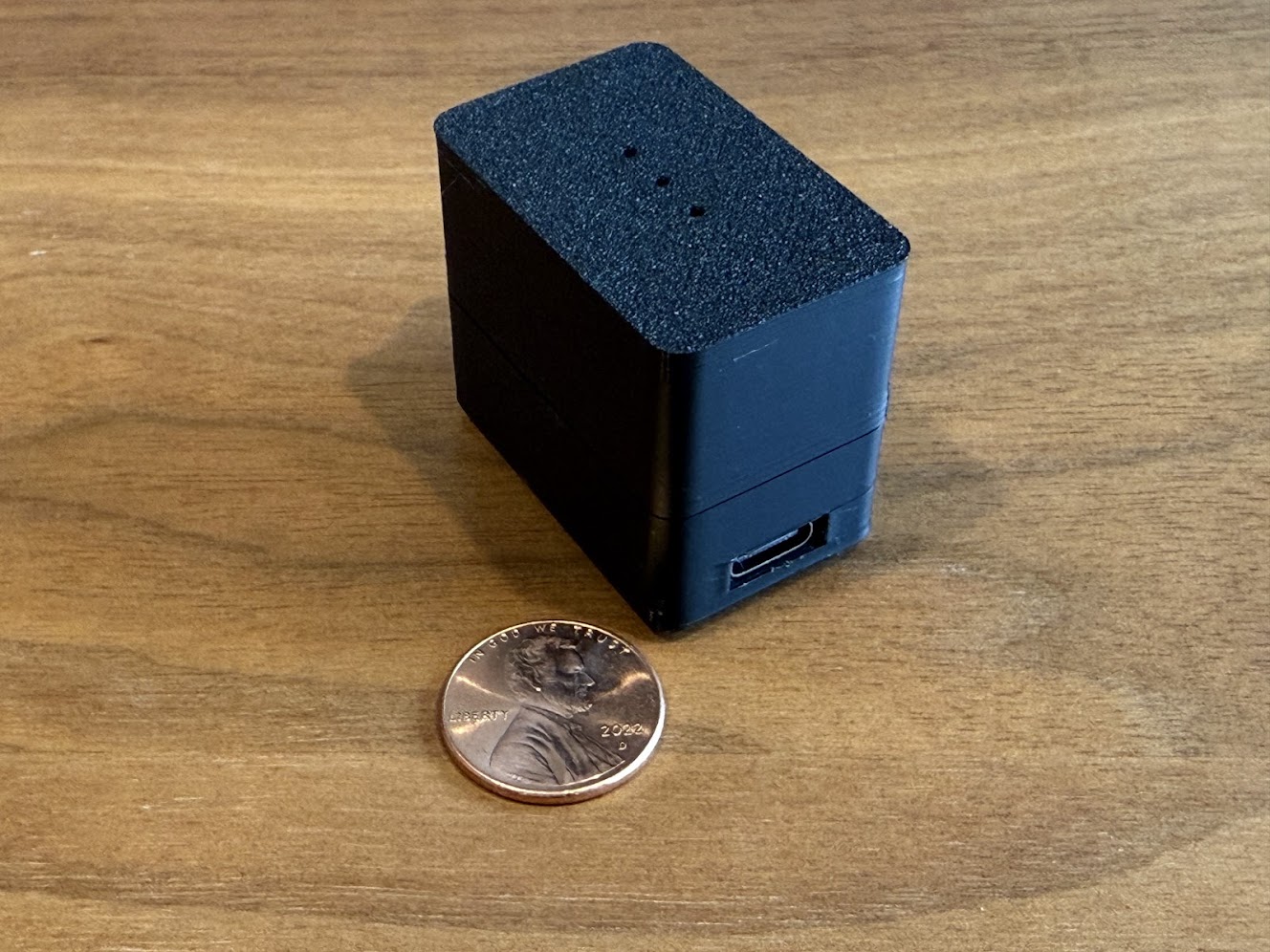
No drivers needed. Windows, Mac, and Linux all recognize it instantly as a USB keyboard.
Set your preferences
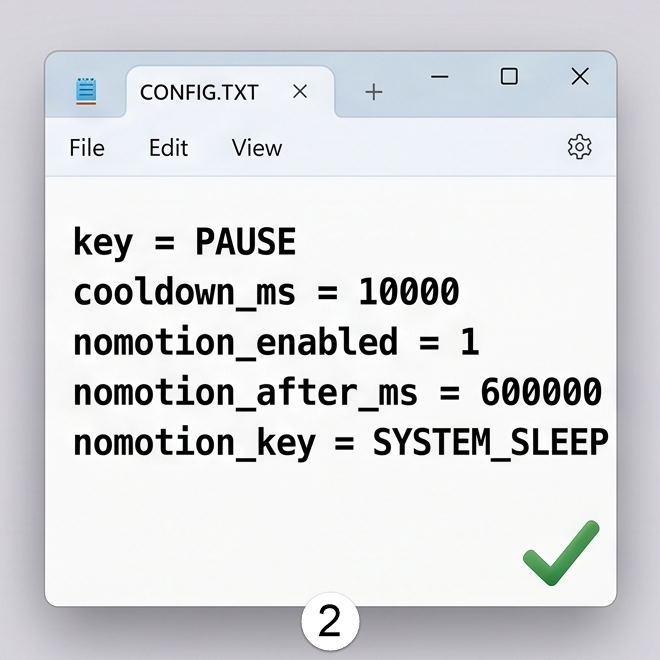
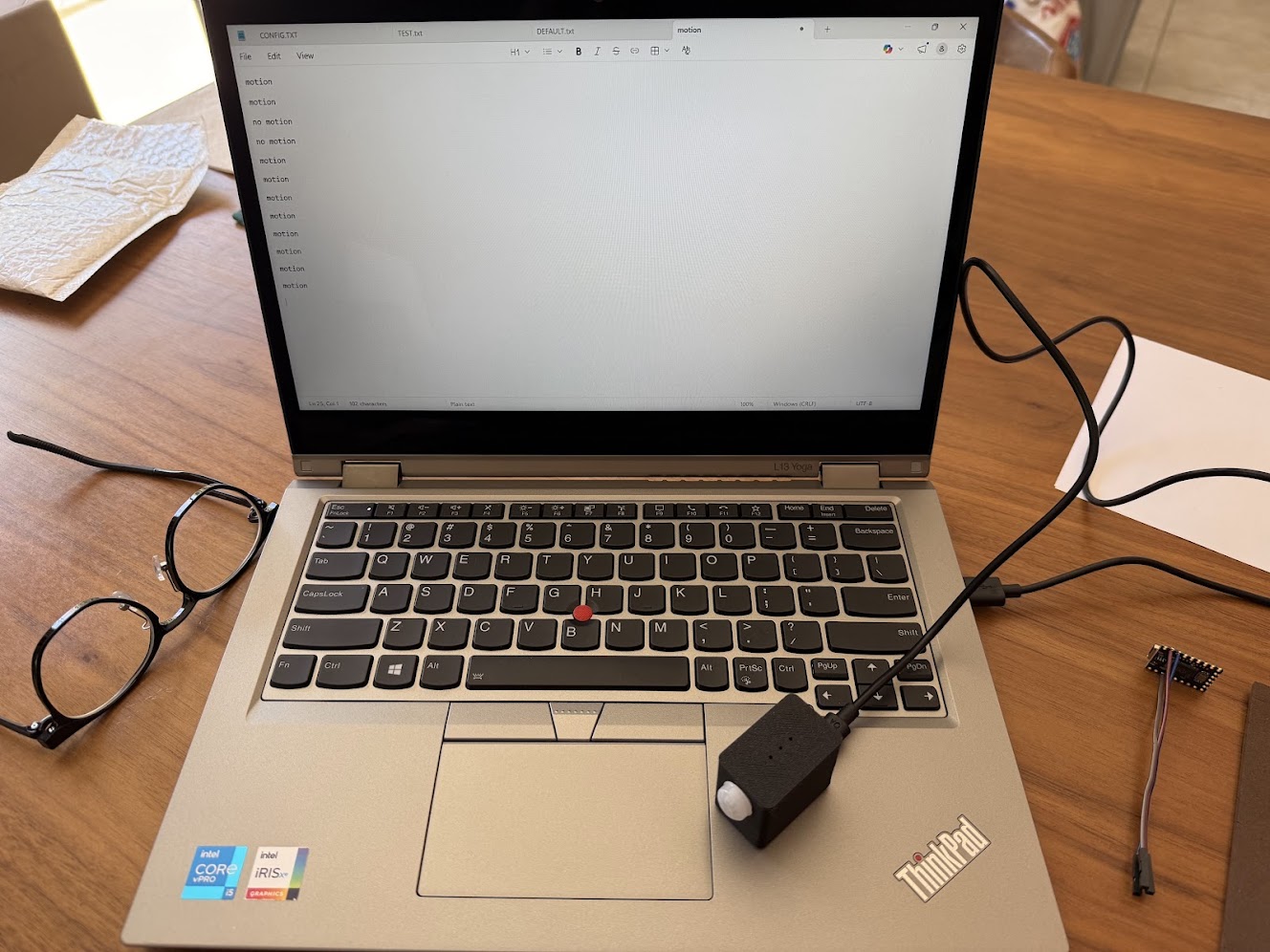
Open CONFIG.TXT on the MOTIONSENSR drive and edit. Save. Settings survive unplugging.
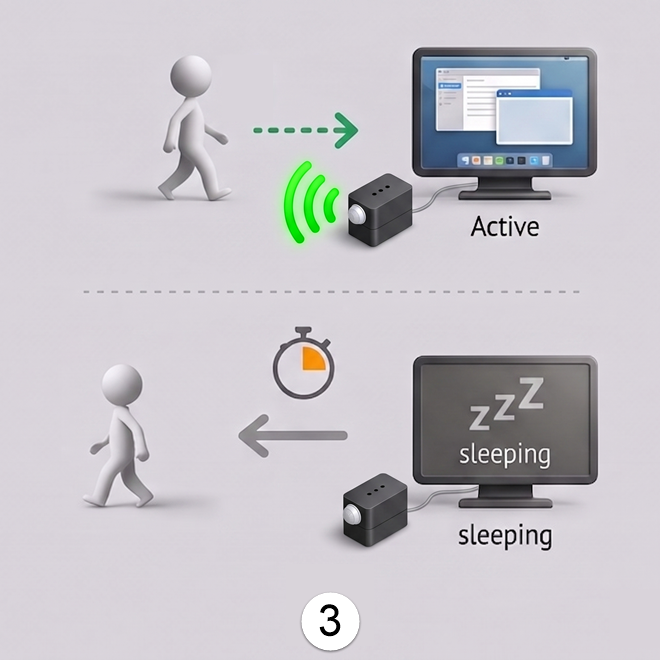
Walk away
Walk in → PC wakes. Walk away → PC sleeps. Fully automatic. Zero ongoing attention needed.
Features
Truly Plug-and-Play
No drivers, no software installation. Works on Windows, macOS, and Linux right out of the box.
File-Based Configuration
A plain-text CONFIG.TXT file on the mounted drive controls everything. Edit it in Notepad. Save. Your settings persist on the device even when unplugged.
Wake AND Sleep
Detects motion to wake your PC. Detects no-motion to sleep it. The device handles both sides of the equation.
Configurable Timers
Set your cooldown between wake events and your no-motion sleep delay. Defaults are sensible; tuning is easy.
Settings Survive Power Loss
Configuration is written to flash in a wear-safe A/B scheme. Your settings are there every time you plug in.
Works With Any Software
Since the device appears as a USB keyboard, it works with Home Assistant, AutoHotkey, DAKboard, MagicMirror, and anything else that responds to keypresses.
Includes USB-C Cable
A 3.3-foot USB-C data+power cable is included. (Charge-only cables won't work, so I'm including one that I know works.)
Made by Me!
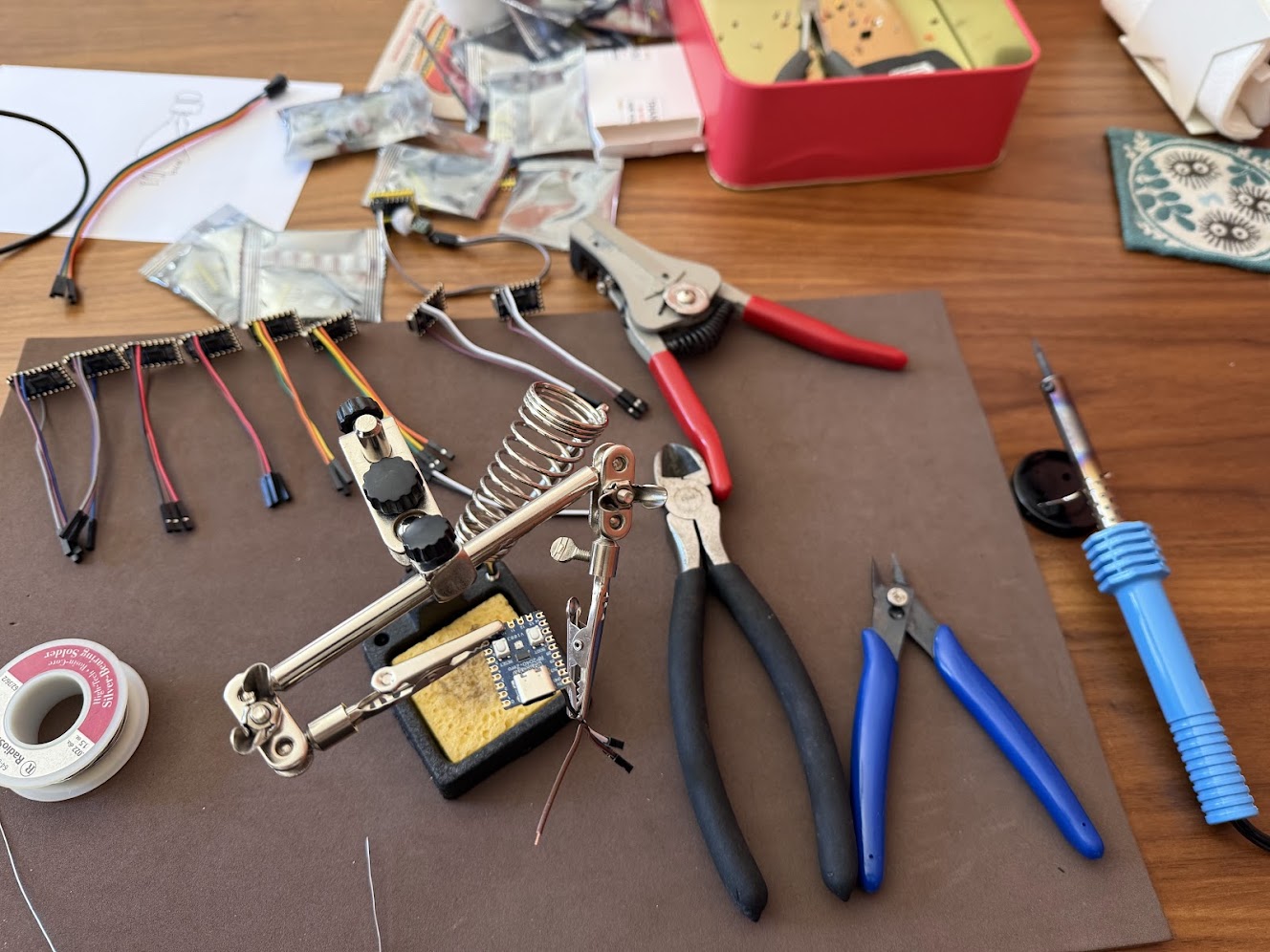
Yes, it's just a simple USB gadget, yet another wheel re-invented. But it solved a problem for me, and at $29.99 I'm getting you there fast without spending hours of your own time soldering and tinkering. I've designed, printed the enclosure, soldered the wires, assembled, tested and shipped them all for your convenience.
What People Use It For
DAKboard / MagicMirror Kiosk
Wake your photo display when someone enters the room. Sleep it when they leave.
Home Assistant Dashboard
Keep your wall-mounted screen or dashboard PC on when you're nearby. Let it sleep itself when the room is empty.
Homelab / IT
Keep servers or lab PCs awake during maintenance. Auto-sleep remote displays when not in use.
Energy Savings
Stop your PC from running all day when no one's there. MOTIONSENSR puts it to sleep so you don't have to think about it.
Automate Anything with AutoHotkey
MOTIONSENSR speaks keyboard. AutoHotkey listens for keyboard shortcuts. Together, they let you trigger any action: launch apps, run scripts, control smart devices just by walking in or out of a room.
Configuration is just a text file
Open CONFIG.TXT on the MOTIONSENSR drive and edit. Save the file. Settings apply immediately and survive reboots.
Example CONFIG.TXT below: Wake PC on motion, sleep after 10 minutes of no motion
mod =
key = PAUSE
cooldown_ms = 10000
nomotion_enabled = 1
nomotion_after_ms = 600000
nomotion_key = SYSTEM_SLEEP
That's it. No apps. No accounts. No cloud.
Key reference
Four modifier keys are supported, specified by name and combined with +:
| Name(s) | Key |
|---|---|
CTRL | Left Control |
SHIFT | Left Shift |
ALT | Left Alt |
GUI / WIN | Left GUI / Windows key |
mod = CTRL+SHIFT
key = F12
The mod field applies to all key forms including text strings, where it is held throughout and ORed with any per-character Shift the device generates automatically for uppercase letters and symbols. Leave blank (mod =) for no modifier. nomotion_mod works identically for the no-motion action.
| Name(s) | HID Usage |
|---|---|
PAUSE | 0x48 |
WIN / WINDOWS | 0xE3 |
ENTER / RETURN | 0x28 |
SPACE / SPACEBAR | 0x2C |
TAB | 0x2B |
ESC / ESCAPE | 0x29 |
UP | 0x52 |
DOWN | 0x51 |
LEFT | 0x50 |
RIGHT | 0x4F |
F1 – F24 | 0x3A – 0x51 |
All names are case-insensitive. Modifiers (mod = CTRL+SHIFT etc.) can be combined with any named key.
Any 8-bit HID keyboard usage value can be specified directly. Use hex (key = 0x48) or plain decimal (key = 72). This covers any key not in the named list above.
Wrap the value in double quotes and the device types the string as individual keystrokes (useful for triggering hotwords, AutoHotkey triggers, or any app that listens for typed input).
key = "Hello!\n"
nomotion_key = "Goodbye!\n"
Max 128 characters, printable ASCII only. Supported escape sequences:
\n | Enter / Return |
\t | Tab |
\r | Carriage return |
\\ | Literal backslash |
\" | Literal double-quote |
Inter-key timing: 10ms key hold, 25ms between keys. The mod modifier is held throughout the string, combined with any Shift the device generates automatically for uppercase letters and symbols.
These are exclusive to nomotion_key and are sent via the USB HID System Control interface instead of the keyboard interface. They are OS-level signals that work without any drivers or software.
| Name(s) | System Control Usage |
|---|---|
SYSTEM_SLEEP / SLEEP | 0x82 |
SYSTEM_POWER_DOWN / POWER_DOWN | 0x81 |
SYSTEM_WAKE_UP / WAKE_UP | 0x83 |
SYSTEM_SLEEP is the default, the standard way MOTIONSENSR puts the host to sleep without relying on any OS idle timer.
Why I built this
I have a family room PC that shows a DAKboard photo calendar when no one's using it. I wanted it to automatically wake up when someone walked in, and sleep when everyone left the room.
I couldn't find a product that did this without requiring software, cloud accounts, or janky workarounds. So I built one.
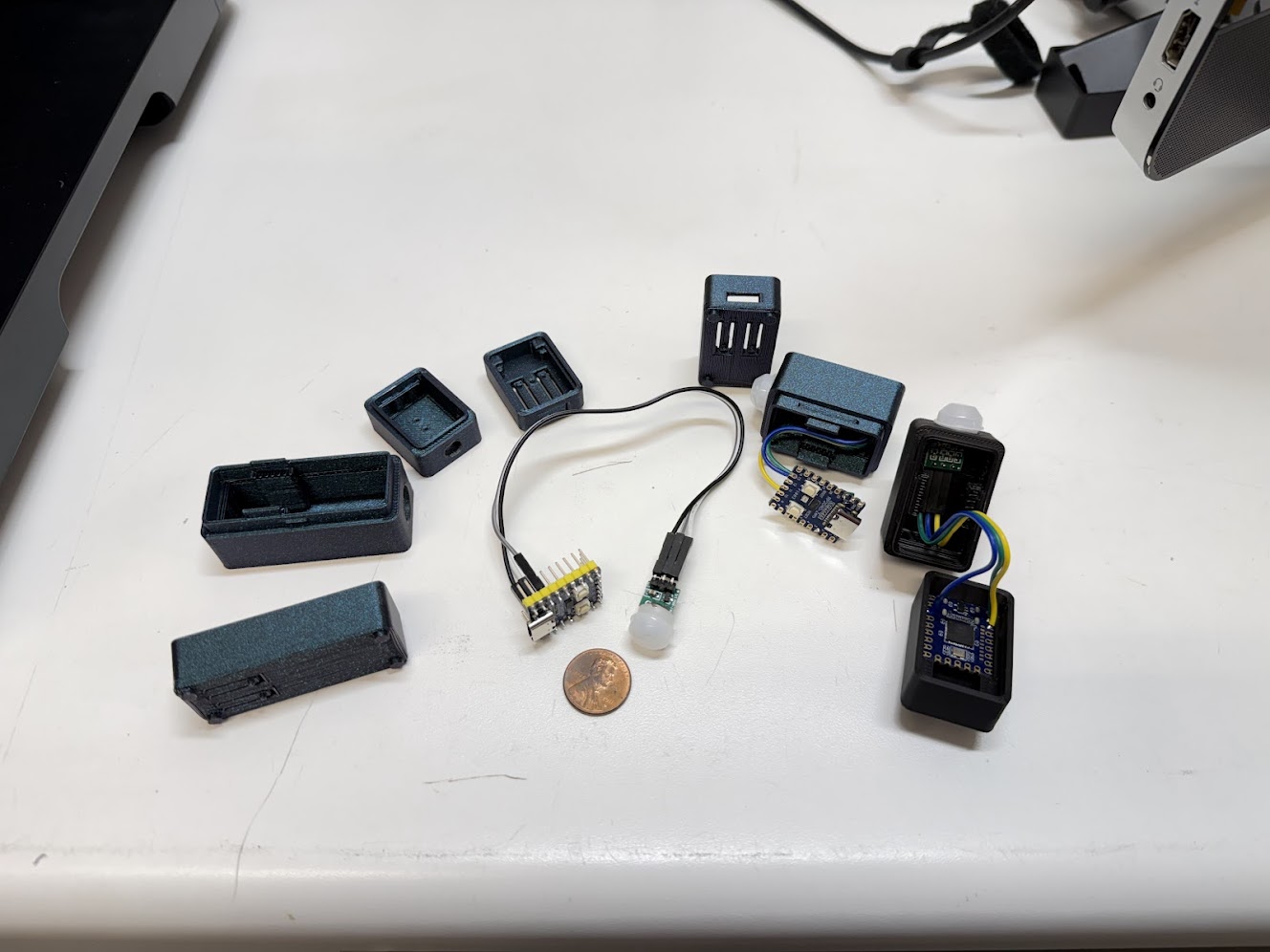
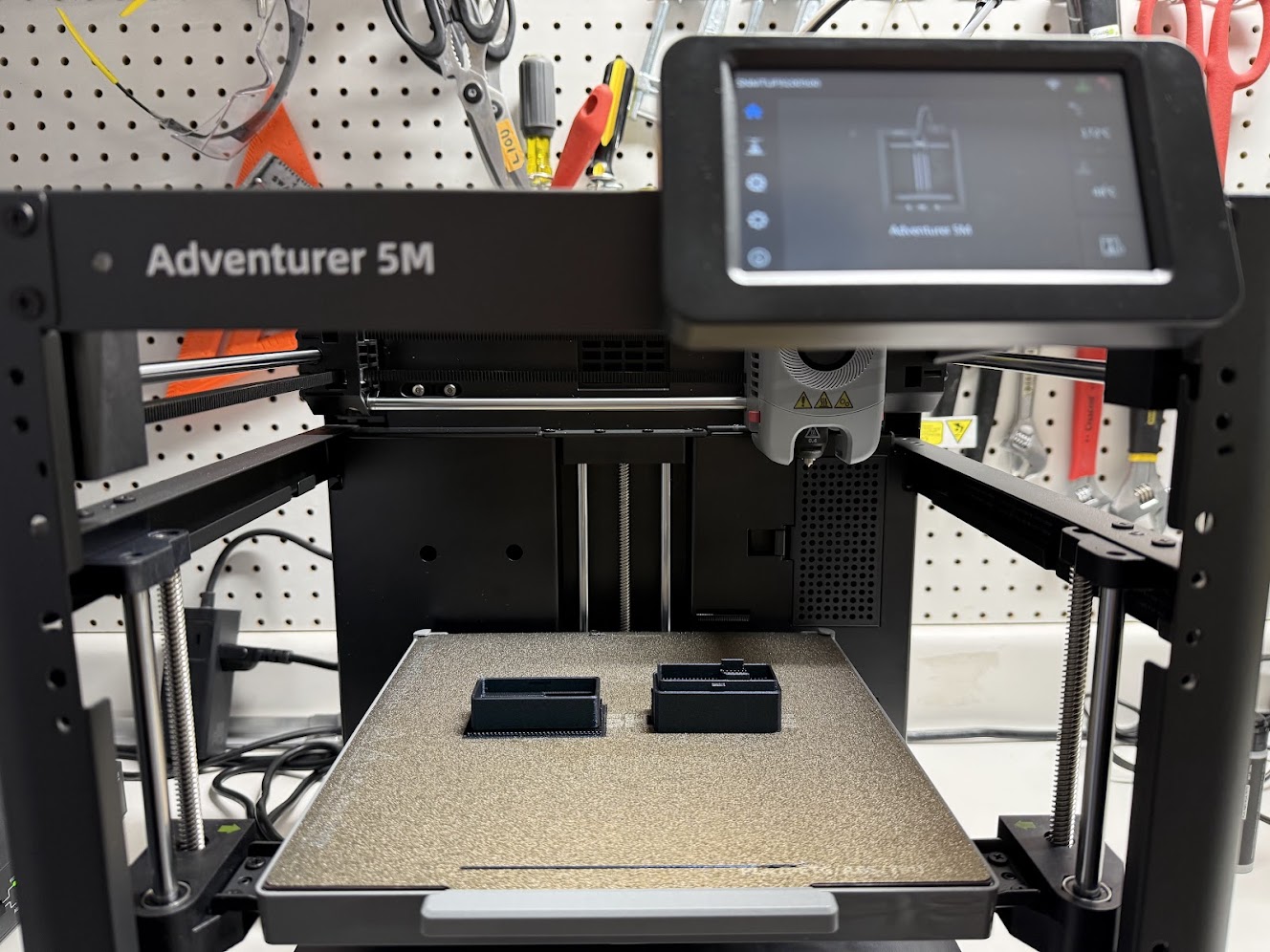
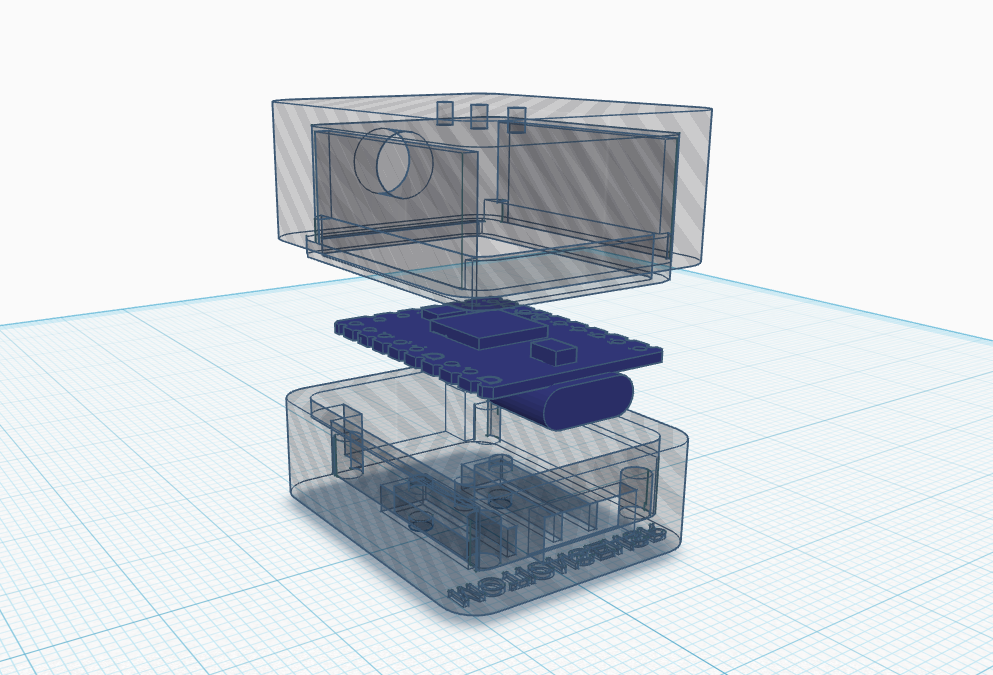
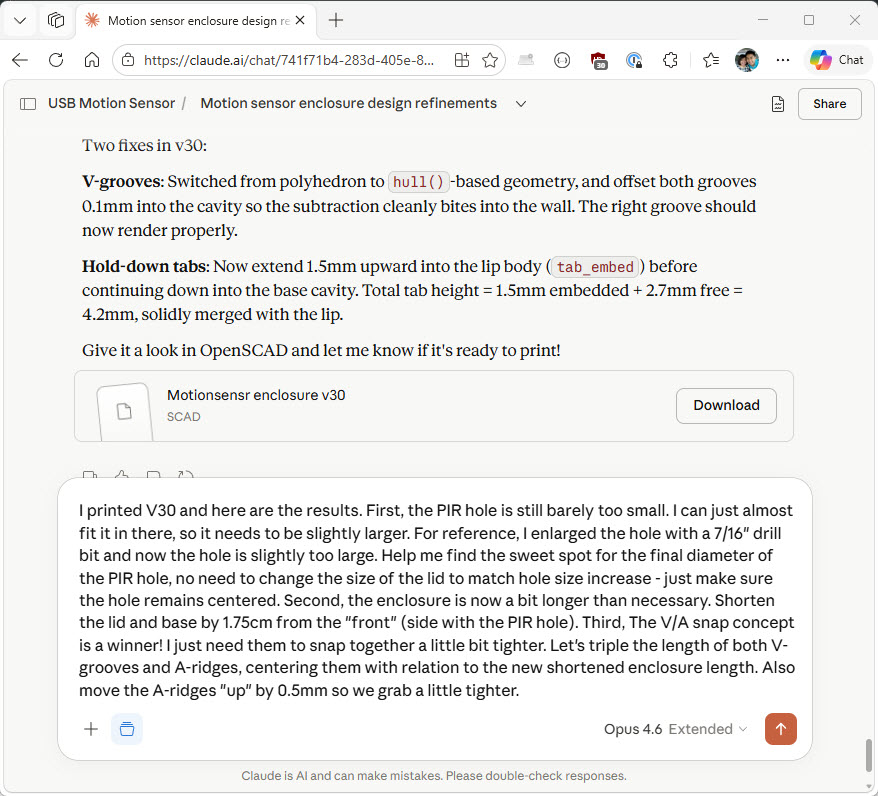
I bought a 3D printer to make the enclosures. The design went through 32 revisions! Most of that iteration happened with Claude AI, working through geometry in OpenSCAD: describe a constraint, Claude suggests a fix, re-render, repeat. I physically printed only the last 4 versions once the design started looking like something real.
After a few months running on my own PC, I figured other people might want it too. The price exists to recoup the cost of the printer. I'm selling 12 units. If they sell, great. If this is the only batch ever made, that's fine too.
So here it is.
How it got made
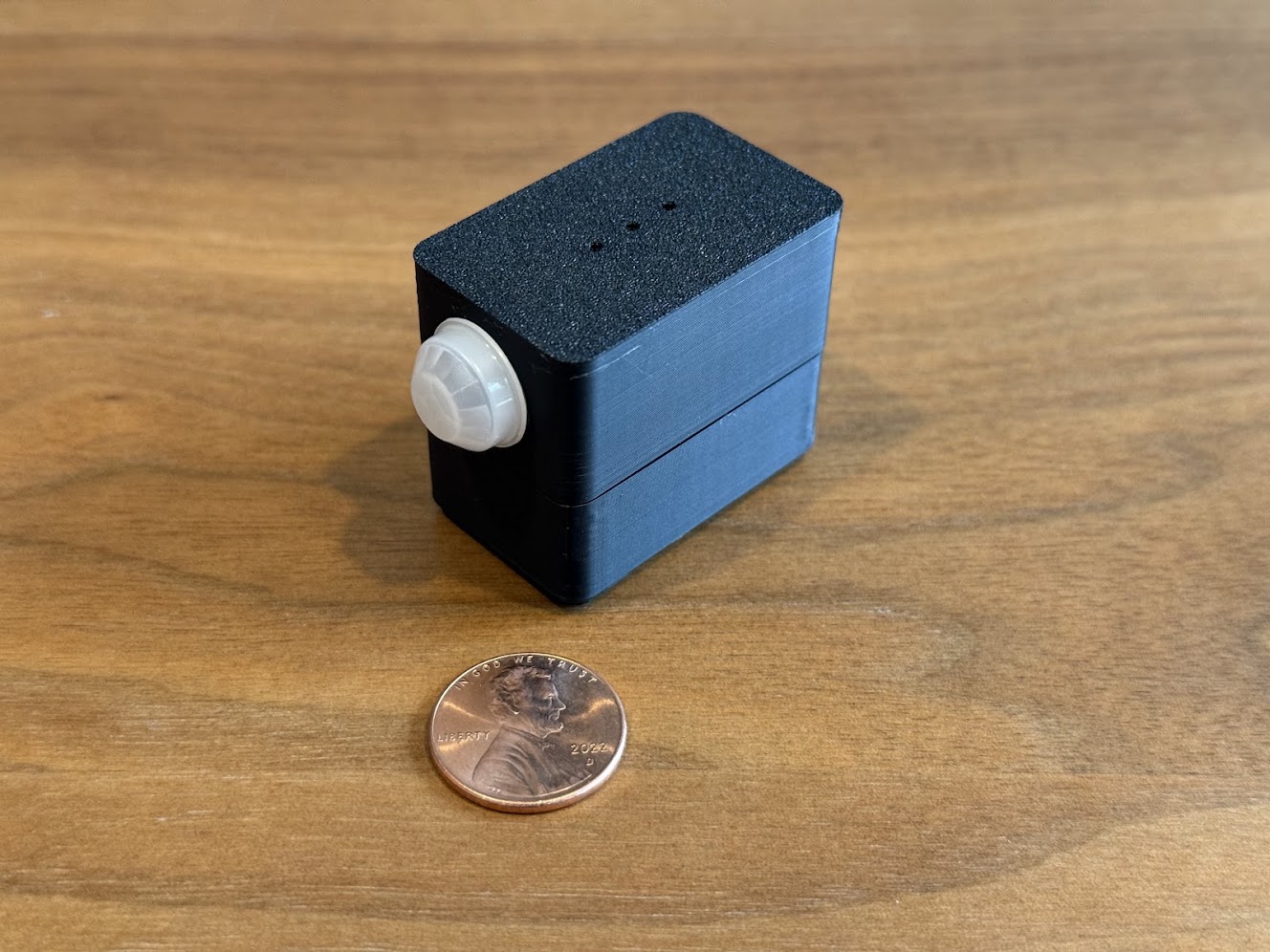
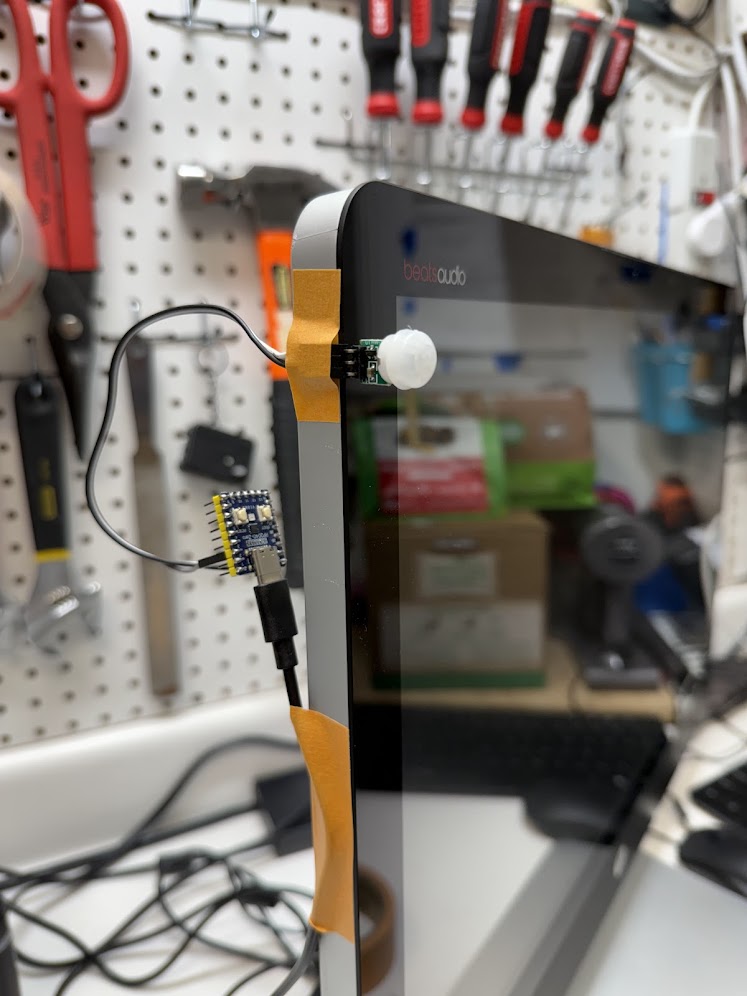
A $2 PIR sensor, a $10 microcontroller, a newly purchased 3D printer, and 32 enclosure revisions.
Safety
MOTIONSENSR is a low-power USB device that draws its power entirely from your computer's USB port. There are no batteries, no mains voltage connections, and no high-current components. The device operates at standard USB voltage (5V) and draws only a few milliamps similar to a basic USB flash drive.
On the software side, MOTIONSENSR acts as a standard USB keyboard. It sends only simple, non-destructive keypresses (PAUSE key by default for motion detection, configurable system commands for idle actions). It does not install drivers, run software on your computer, or access your files. The CONFIG.TXT file on the device's virtual drive is a plain text configuration file - editing it cannot affect your computer's data.
If you have the idle action configured to trigger system sleep, I recommend saving any open work before stepping away, just as you would with your computer's built-in sleep timer.
What's inside
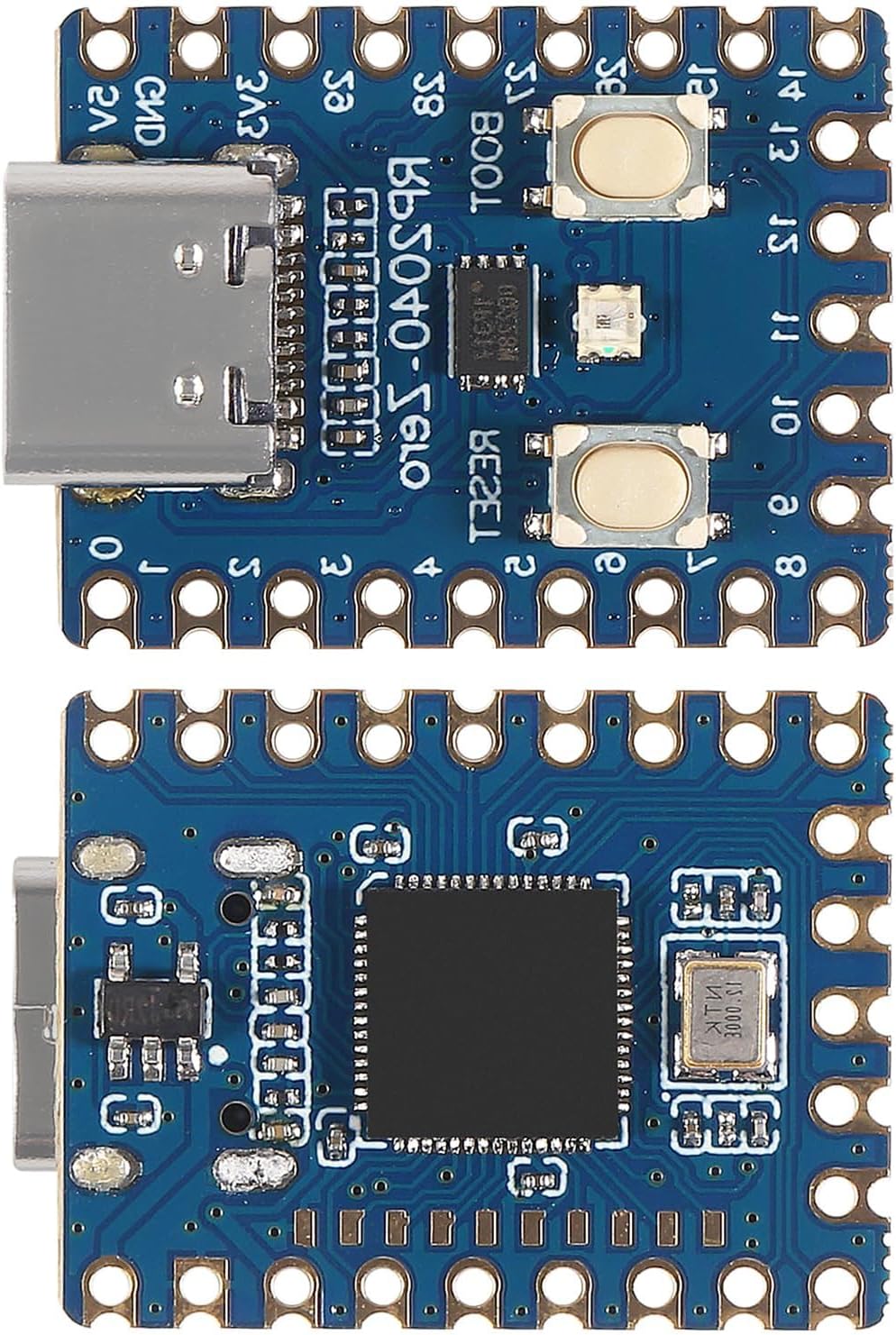
RP2040-Zero
The brains. A compact, commercially produced microcontroller board built around Raspberry Pi's RP2040 chip — the same silicon used in millions of consumer and industrial devices.
- Chip RP2040 (Raspberry Pi Ltd)
- Cores Dual-core ARM Cortex-M0+ @ up to 133 MHz
- Flash 2MB onboard
- Voltage 3.3V logic (regulated from 5V USB)
- Current ~20–30mA typical
- Size 23.5 × 18mm
- USB USB-C, native USB via RP2040
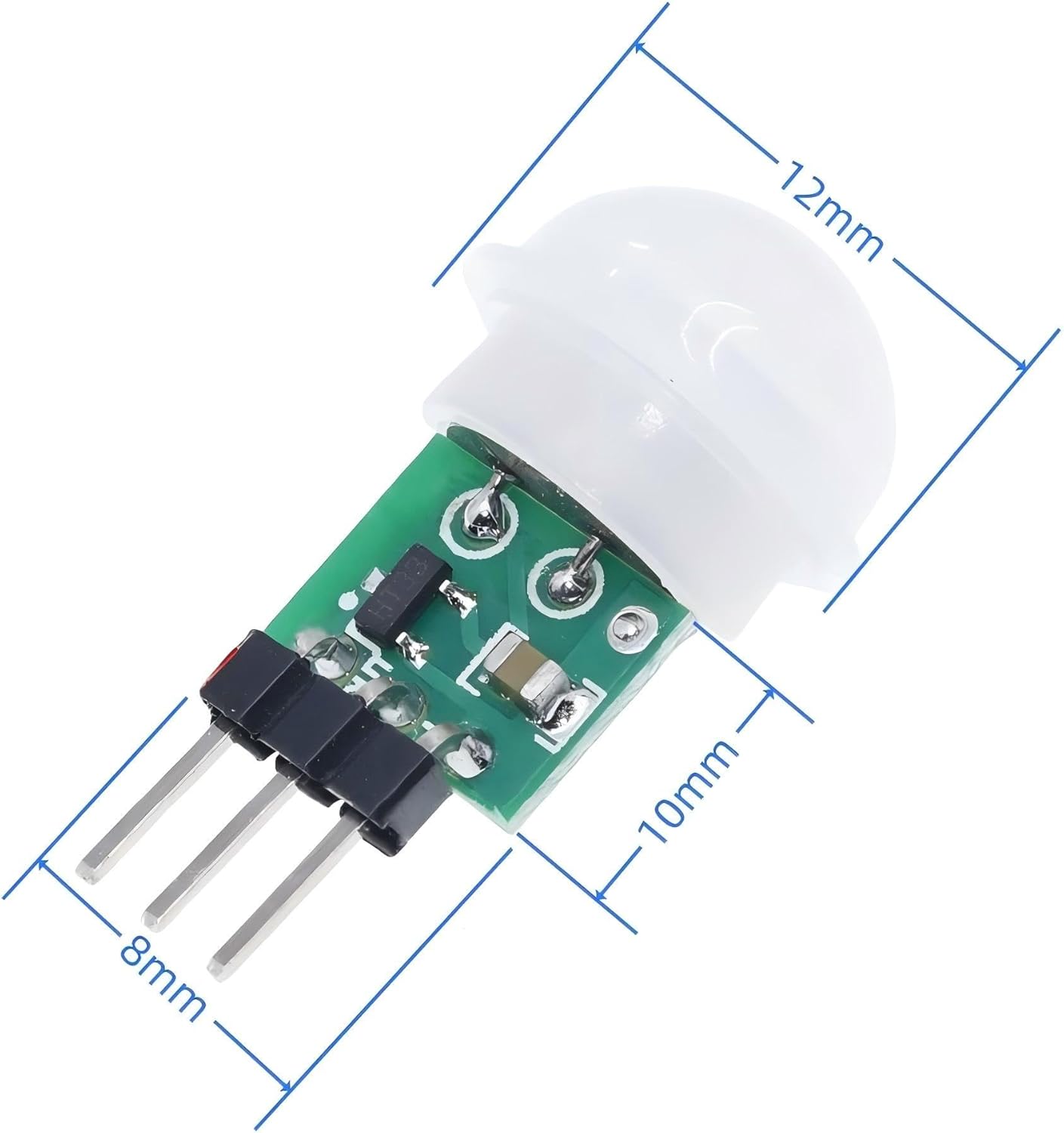
AM312 PIR Motion Sensor
The eyes. An ultra-low-power passive infrared sensor in a miniature package, widely used in battery-powered and mains consumer devices alike.
- Type Passive infrared (PIR), pyroelectric
- Voltage 2.7V–12V (3.3V compatible)
- Current ~60µA quiescent
- Range ~3–5 meters (~10–16 ft)
- Field of view ~100°
- Size 10 × 8mm PCB
- Output Single digital pin, high on motion
The enclosure is 3D-printed from PLA+, a non-toxic thermoplastic commonly used in consumer products. It contains no hazardous materials.
FAQ
Any computer with a USB port and standard HID keyboard support. Windows, macOS, and Linux all work. No drivers or software needed.
When the PIR sensor detects motion, the device sends a configurable keypress (default: Pause) over USB HID. This wakes most PCs from sleep or standby. You can change the key in CONFIG.TXT.
After a configurable period of no motion, the device sends a USB HID System Sleep command directly to the OS. No software required.
No. It's a USB device. It never touches the internet.
No. The AM312 PIR sensor used in MOTIONSENSR has fixed hardware characteristics. Detection range is approximately 3–5 meters with a ~100° field of view. There are no software controls or hardware trim pots to adjust this, and sensitivity varies slightly from unit to unit. Position the sensor to aim its coverage at the area you want monitored.
Yes. Edit CONFIG.TXT on the mounted drive. cooldown_ms sets the minimum time between wake events, and nomotion_after_ms sets how long motion must be absent before the sleep action fires. Both are in milliseconds. Defaults are 10 seconds and 10 minutes respectively.
PAUSE is the one key on your keyboard that nothing uses anymore. That makes it perfect for a motion sensor that needs to press a key every few seconds. If we sent SPACE or ENTER or ESC, it could scroll a page, dismiss a dialog, or type into a text box. PAUSE won't do any of that. But the OS still treats it as real keyboard input, so it wakes the PC from sleep and resets idle timers. That way we can tell the OS "someone is here" without interfering with someone who might be working on the computer or interacting with a foreground app. If you're running a screensaver or a kiosk script that activates after a few minutes of inactivity, PAUSE keeps those timers from firing while people are in the room. You can always change the key to something else in CONFIG.TXT, but for most setups PAUSE is the right choice because it's the one key you can hit over and over without anything caring.
The MOTIONSENSR device and a 3.3-foot USB-C data+power cable.
The key field supports four forms: a friendly name (PAUSE, F12, ENTER, arrows, etc.), a raw HID hex usage (0x48), a plain decimal usage, or a quoted text string ("Hello!\n") that the device types character by character. The nomotion_key field supports all of the above and additionally accepts System Control actions: SYSTEM_SLEEP, SYSTEM_POWER_DOWN, and SYSTEM_WAKE_UP. See the full key reference in the configuration section above.
Email me. I'll help you get it working or refund you.
I made 12. You bought 12.
Now I'm making V2!
First batch, V1: sold out. Yes, there are literally dozens of us, DOZENS* of people who need a USB motion sensor without WiFi or software/driver dependencies!
* I sold 12, and I'm also running my own 2 units so that makes 14 which is more than a dozen :)
Me: OK, made a motion sensor, sold out
Nobody: [crickets]
Me again: You know what, I'm building V2 anyway with microwave sensing instead of PIR, a smaller package, physical button triggering with integrated hotkey action, and two form factors: desktop and flat wall mount. Ship date: mid-August.
I'm also curious: what are you using MOTIONSENSR for? I'd love to hear what you're building. Your feedback helps me plan what comes next.